
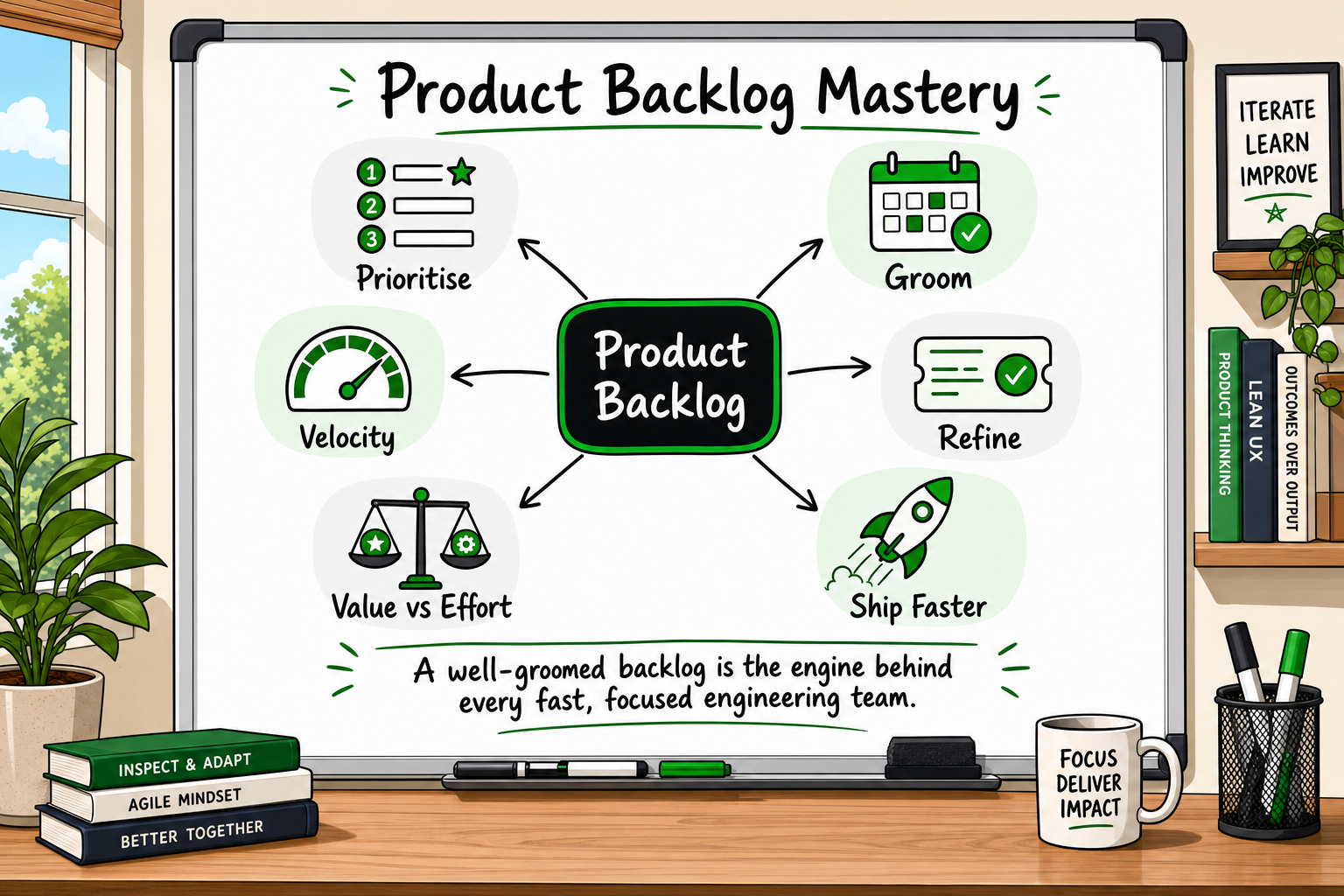
If your software team keeps missing sprint commitments, rewriting tickets mid-sprint, or spending half of planning re-clarifying requirements, the problem is usually not the engineers. It is the product backlog. A poorly structured backlog is one of the most common and most invisible drags on startup delivery speed — and fixing it costs nothing but discipline.
This guide explains what a product backlog actually is, how its quality directly controls how fast your team ships, and what good backlog hygiene looks like in practice.
What a Product Backlog Actually Is (and What It Is Not)
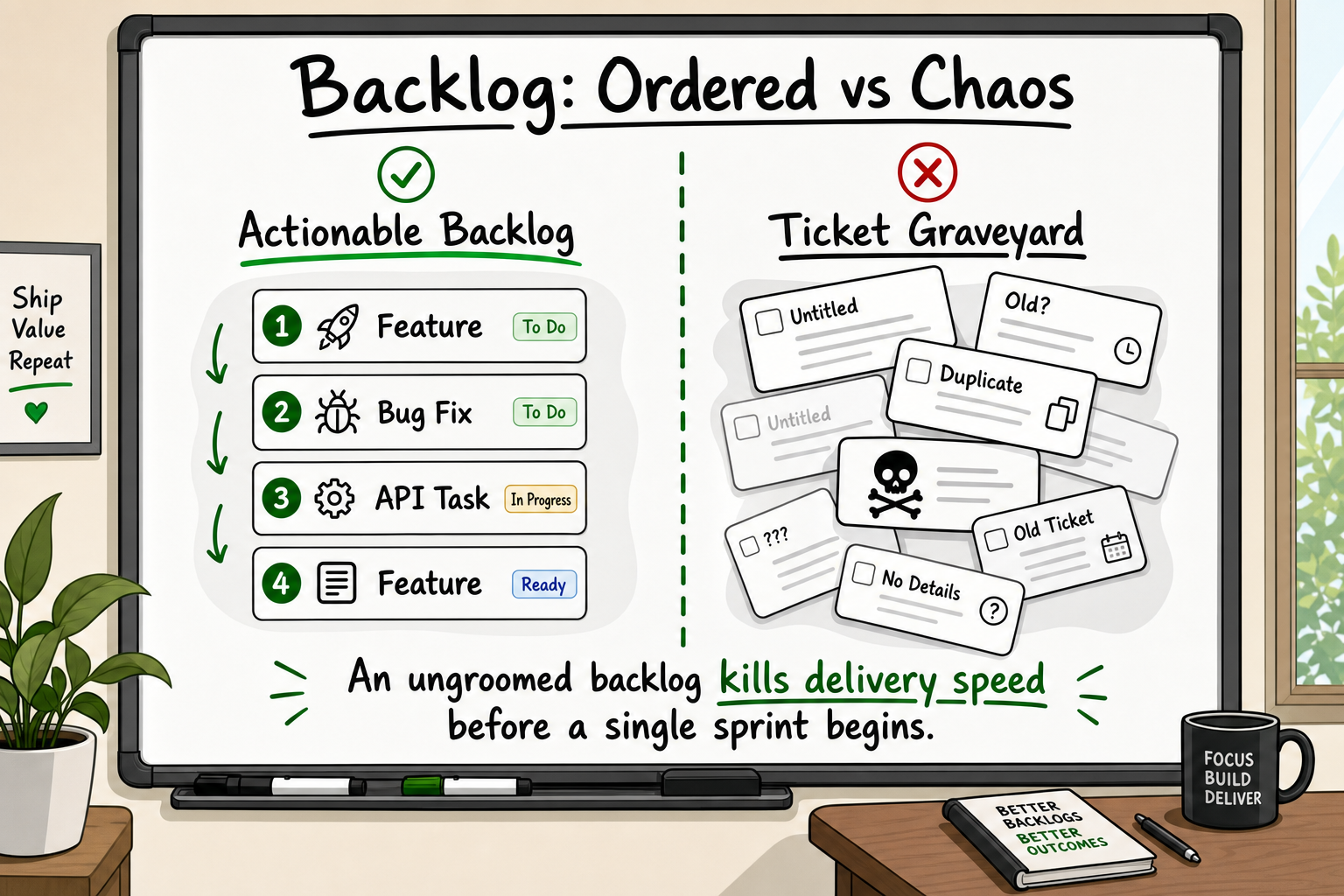
The product backlog is the single, prioritised list of everything a product team might build — features, bug fixes, technical improvements, and research tasks. It is ordered by value: the item at the top is the most important thing the team could work on right now.
That is the definition the Scrum Guide gives, and it is a useful starting point. But the definition hides a few important distinctions that most early-stage teams get wrong.
The backlog versus the to-do list
A to-do list is a flat collection of tasks. A product backlog is a prioritised, estimated, and continuously maintained instrument for making sequencing decisions. Every item on it represents a deliberate choice: this is worth building before everything else below it. Items that do not deserve that deliberate choice do not belong in the backlog — they belong in a parking lot or deleted entirely.
Product backlog vs sprint backlog: a clear distinction
Founders often use these terms interchangeably. They mean different things.
The product backlog contains everything the team might ever build. The sprint backlog is the specific subset the team commits to completing in one sprint — typically two weeks. Items move from the product backlog into the sprint backlog during sprint planning, after the team has estimated and understood them well enough to commit.
If items are moving into a sprint without proper understanding, the sprint backlog is being filled from a backlog that has not been properly refined. That is where velocity problems begin.
Who owns the backlog?
In a Scrum framework, the product owner is accountable for the backlog's content, order, and clarity. In practice, especially at early-stage startups, this role is often played by the founder, a product manager, or a technical co-founder. The critical point is that one person must own it. Backlogs maintained by committee or by no one at all degrade rapidly.
What Is a Webhook? Plain-English Guide for Founders
Why Backlog Quality Determines Your Shipping Speed
This is the relationship most founders do not see until they are already frustrated: the state of your backlog today determines what your team ships four weeks from now.
Vague tickets cost engineering hours
When a ticket says "Build the dashboard" and nothing else, an engineer has three options: guess and build the wrong thing, stop to ask the founder for clarification (a context switch that costs 20–30 minutes minimum, often more), or pull in a designer, schedule a meeting, and lose half a day.
Multiply that across a 10-item sprint and you understand why teams with poor backlogs consistently under-deliver — not because of poor technical skills, but because of the overhead created by ambiguity.
The hidden cost of a bloated backlog
A backlog with 400 items is not a sign of a productive team. It is a sign of accumulated indecision. Every item in the backlog carries a small cognitive cost: during planning, the team scans it, considers it, and decides not to do it again. The larger the graveyard, the higher the planning tax.
Research on developer cognitive load consistently shows that decision fatigue during planning sessions leads to lower-quality sprint commitments [SOURCE]. Keep the active backlog to items the team can realistically reach in the next two to three sprints.
Unclear priorities force constant context-switching
When the backlog has no clear order, engineers make their own sequencing decisions based on what feels most interesting or most achievable. This is human nature, not negligence. The result is a team that ships features in the wrong order for the business, building infrastructure for features that get cut and missing quick wins that would have moved a metric.
How a clean backlog compresses sprint planning time
When every item entering a sprint has been discussed, estimated, and written with acceptance criteria, sprint planning becomes a short, focused exercise. The team reviews the top of the backlog, confirms nothing has changed in priority, and commits. Planning sessions that should take 90 minutes take 90 minutes instead of four hours.
Across 50+ completed projects, our team's consistent delivery rate — approximately 20% faster than the industry average for comparable scope — is directly attributable to sprint discipline starting with backlog hygiene. When the backlog is clean, the sprint is predictable. When the sprint is predictable, the release date is defensible.
How to Evaluate a Software Development Partner: 9 Criteria
The Anatomy of a Well-Written Backlog Item
Good backlog items are not long. They are precise. Here is what that means in practice.
User stories: the right format and why it works
The user story format is simple and widely used for good reason:
As a [type of user], I want [some capability], so that [I get some outcome].
This format forces the writer to name who benefits, what they need, and why it matters. That context is what allows an engineer to make sensible implementation decisions without asking seventeen clarifying questions.
Vague ticket: Build the dashboard.
User story: As a supplier, I want to see a summary of all pending orders in one view, so that I can prioritise fulfilment without opening each order individually.
The second version tells the engineer what success looks like. It also surfaces a question immediately: what counts as "pending"? That question gets answered during refinement, not mid-sprint.
Acceptance criteria: turning ambiguity into a testable contract
Acceptance criteria are the specific conditions that must be true for a ticket to be marked done. They are written in plain language, not technical jargon, and they are testable — meaning someone can look at the product and definitively say whether each criterion has been met.
Example acceptance criteria for the supplier dashboard story above:
- Orders in "pending" and "processing" status are included in the count.
- Orders are sorted by oldest first by default.
- The view updates without a full page reload.
- The count badge in the navigation reflects the same number as the dashboard view.
With criteria like these, a developer knows exactly when they are done. A QA reviewer knows exactly what to check. A product owner knows exactly what to approve.
Definition of Ready: the quality gate before sprint entry
The Definition of Ready (DoR) is a checklist your team agrees on for what a backlog item must have before it can enter a sprint. A basic DoR might include:
- Written as a user story with clear acceptance criteria
- Estimated by the engineering team
- No unresolved dependencies or blockers
- Design assets attached (if applicable)
- The product owner has answered all open questions
Without a DoR, items that are not ready slip into sprints and create exactly the kind of mid-sprint clarification overhead that kills velocity.
Estimation and sizing without over-engineering it
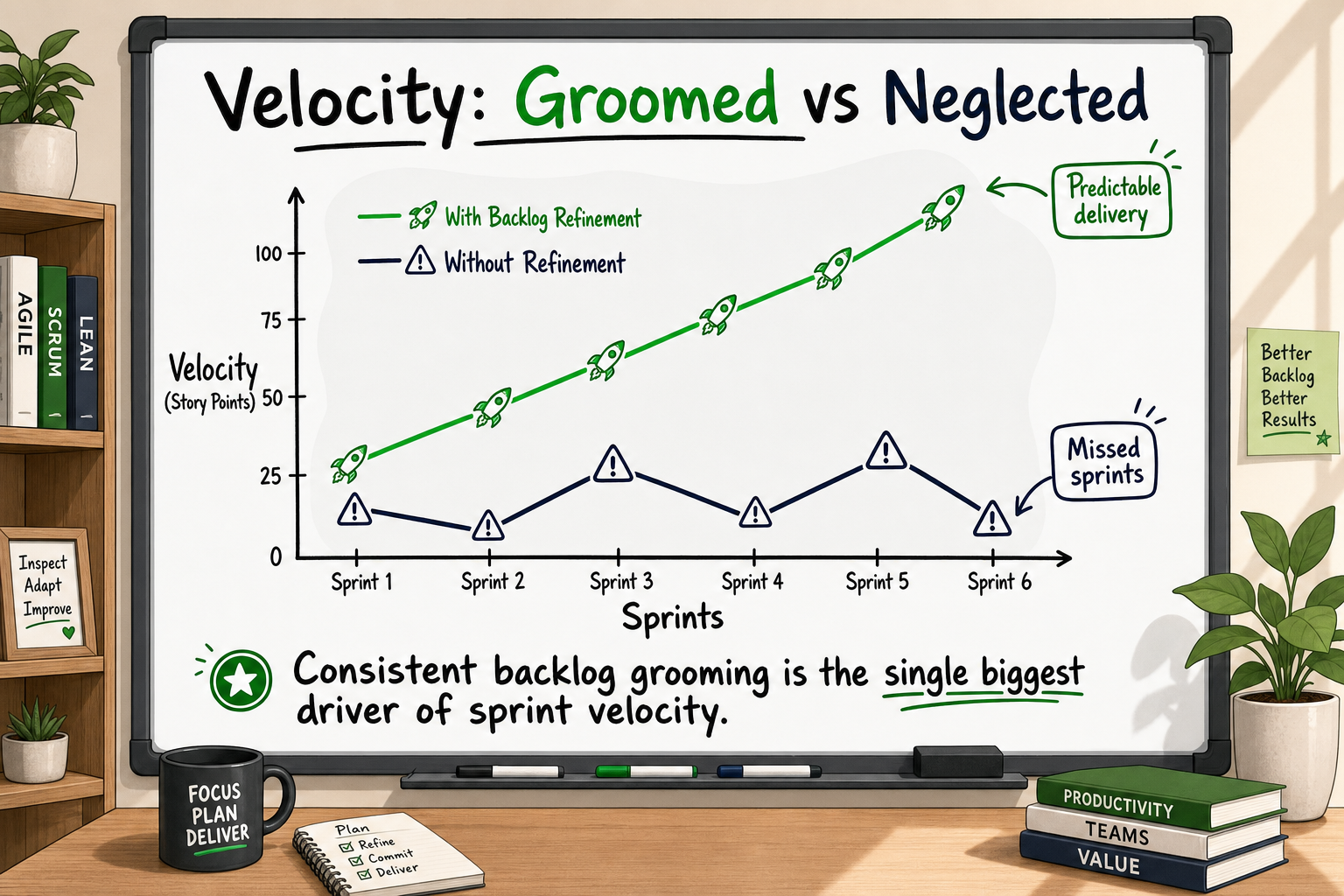
Estimation does not need to be precise — it needs to be consistent. Story points (a relative measure of complexity and effort) are more useful than hour estimates because they account for uncertainty and allow the team to build a velocity baseline over time. A team that consistently delivers 30 story points per sprint can plan releases with real confidence.
For early-stage teams, even a simple T-shirt sizing approach (Small / Medium / Large / Extra-Large) is far better than no estimation at all.
How to Prioritise a Product Backlog Without Guessing
Prioritisation is where most product backlogs break down. Every stakeholder believes their feature is the most important. Without a framework, priority becomes whoever argues loudest.
MoSCoW: a fast mental model for early-stage products
MoSCoW stands for Must have, Should have, Could have, and Won't have (for now). It is not the most sophisticated framework, but for founders building an MVP or planning a first release, it is fast, transparent, and easy to communicate to non-technical stakeholders.
- Must have: Without this, the product cannot launch or the user cannot complete a core job.
- Should have: High value but not launch-blocking.
- Could have: Nice to have if time permits.
- Won't have (now): Explicitly deferred — not forgotten, just out of scope for this release.
The Won't have category is often the most valuable part of MoSCoW because it makes deferral a deliberate, recorded decision rather than something that just falls off the list.
RICE scoring for data-driven prioritisation
RICE stands for Reach, Impact, Confidence, and Effort. Each item gets a numeric score:
RICE score = (Reach × Impact × Confidence) ÷ Effort
- Reach: How many users will this affect per quarter?
- Impact: How much will it move the key metric? (Score 0.25 to 3)
- Confidence: How sure are we? (100% = high confidence, 50% = low)
- Effort: Person-months of work
RICE is most useful once a product is live and you have data on user behaviour. For pre-launch MVP planning, MoSCoW or value vs effort is typically faster.
Value vs effort: the simple 2x2 that keeps teams aligned
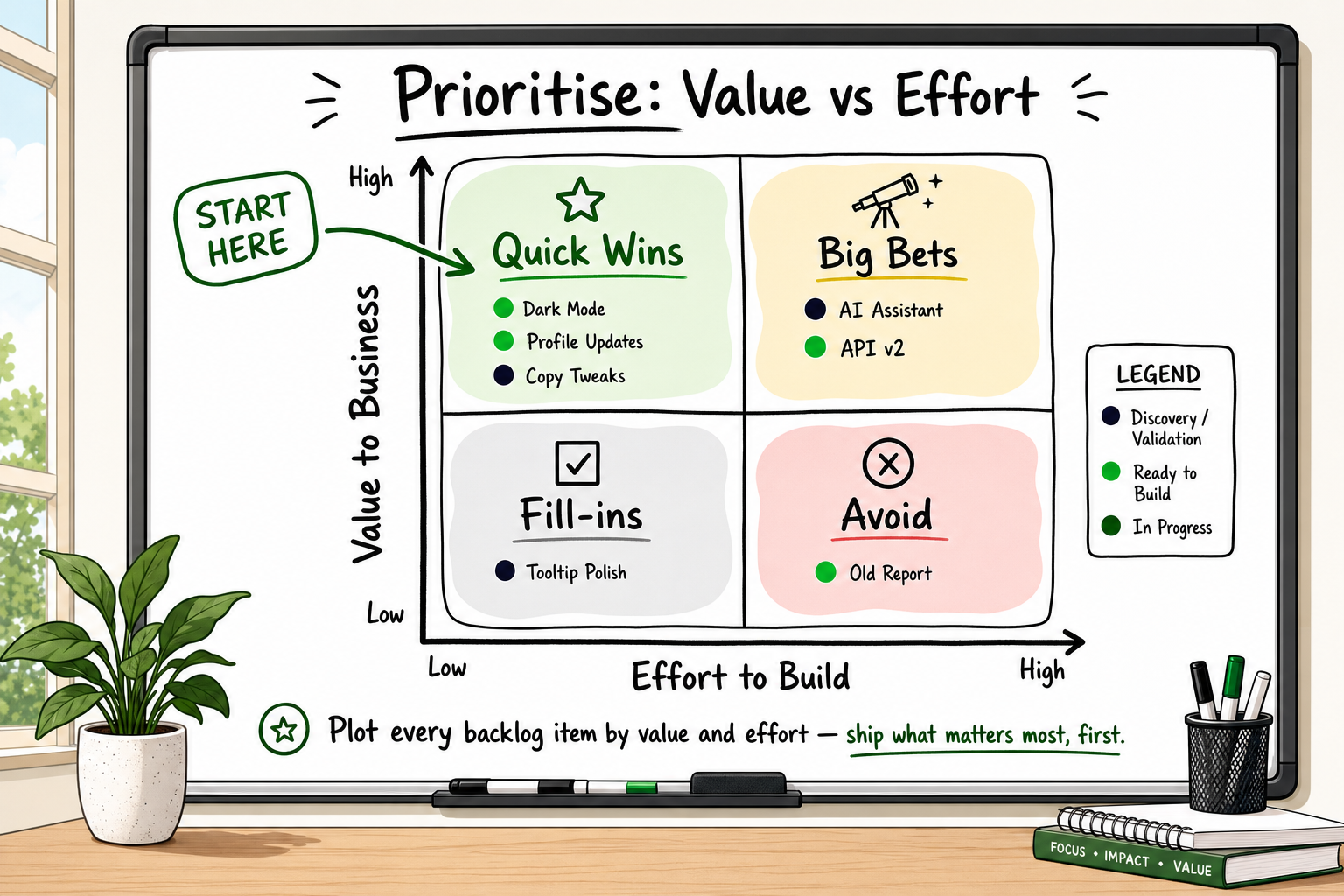
Plot every backlog item on a 2x2 grid: business value on the vertical axis, build effort on the horizontal axis.
- High value, low effort: Do first. These are your quick wins.
- High value, high effort: Plan carefully. These are your major bets.
- Low value, low effort: Do if there is slack. Never let these displace high-value items.
- Low value, high effort: Remove from the backlog.
This exercise is most effective as a collaborative session involving both the product owner and the engineering team, because the team knows what is actually low effort versus what only looks simple from the outside.
When building the FieldFolio B2B wholesale marketplace — serving over 40,000 retailers across Australia and New Zealand — the team sequenced the retailer onboarding flow and order management architecture first, deliberately deferring supplier catalogue sync features to later sprints. That sequencing decision was made in a value vs effort exercise and directly enabled the go-to-market milestone to be hit on schedule.
Backlog Grooming: the Cadence That Keeps Delivery Predictable
Backlog grooming — formally called backlog refinement — is the regular practice of reviewing, updating, and improving backlog items before they reach a sprint. It is the maintenance habit that prevents planning sessions from turning into archaeology.
How often should you groom your backlog?
The Scrum Guide does not mandate a specific refinement meeting format, but recommends the team spend no more than 10% of sprint capacity on refinement. For a two-week sprint, that is roughly four hours across the sprint — usually structured as one or two sessions.
In practice, a single 60–90-minute refinement session held in the middle of each sprint works well for most startup teams. The goal is to have the top of the backlog ready for the next sprint planning session before that session starts.
Who belongs in a refinement session?
A refinement session should include the product owner, the engineering lead or tech lead, and at minimum one other engineer. Designers join when items have significant UX components. Stakeholders who are not directly contributing to clarification should not attend — their presence changes the dynamic from refinement to status reporting.
The five checks every ticket should pass before sprint entry
- Is the user story written clearly with an identifiable user, capability, and outcome?
- Are acceptance criteria specific and testable?
- Has the engineering team estimated it?
- Are there any unresolved dependencies or external blockers?
- Is the priority position in the backlog still correct given what has changed since it was written?
Tickets that fail any of these checks go back for revision before they touch a sprint.
When grooming becomes a waste of time — and how to fix it
Refinement becomes unproductive when it turns into requirements discovery — when items arrive at refinement without any prior thinking from the product owner. The engineering team ends up doing requirements analysis live, which is inefficient and demoralising.
The fix is a two-step process: the product owner does lightweight pre-refinement work (writing the user story, drafting acceptance criteria, linking to designs) before the session, so the team's time is spent clarifying and estimating rather than starting from scratch.
In client engagements where teams had skipped refinement entirely, a consistent pattern emerged: 30–40% of sprint planning time was spent re-clarifying tickets that should have been resolved beforehand. That is time subtracted directly from engineering velocity.
Common Backlog Anti-Patterns That Kill Velocity
A self-audit is worth doing before diagnosing other velocity problems. These are the anti-patterns most likely to be the actual culprit.
The graveyard backlog: hundreds of tickets no one will ever build
If your backlog has tickets that are more than six months old and have never been prioritised into a sprint, they are probably not getting built. Every time a team scans past them during planning, cognitive energy is spent on something that is not moving forward. Archive or delete ruthlessly. If something is genuinely important, it can be re-created when it becomes relevant.
The feature factory trap: output over outcome
A backlog full of feature requests with no connection to a measurable outcome is a warning sign. "Add a settings page" is not a backlog item — it is a task. "Allow users to change notification preferences so they stop disabling the product because of email overload" is a backlog item. One has a reason. One has a testable outcome. Only one belongs in a product backlog.
Tickets with no owner and no deadline context
If a ticket has no product owner noted and no context about when or why it matters, it is inert. Who champions it through refinement? Who defines done? Ownerless tickets accumulate and are never worked. Every item in an active backlog should be traceable to a product decision.
Missing the technical debt items that slow every sprint
Technical debt items — refactors, dependency upgrades, test coverage improvements — are often missing from product backlogs because they are harder to explain to non-technical stakeholders. This is a mistake. Unaddressed technical debt compounds: it slows every future sprint slightly, until one day the team spends more time working around debt than building features. Reserve a percentage of each sprint's capacity — commonly 15–20% — for technical debt items. They belong in the backlog, estimated and prioritised like everything else.
Tools for Managing a Product Backlog at Different Stages
The tool is less important than the discipline, but the right tool for the stage reduces friction.
Early-stage: keep it simple
For a pre-launch startup with a team of two to five people, a simple tool like Linear, Notion, or even a well-structured GitHub Issues board is entirely sufficient. The priority at this stage is speed of setup and low friction for writing and updating items. Jira's full configuration overhead is rarely worth it before a team reaches eight to ten people.
Scaling teams: when structure earns its cost
Once a product is live and the team grows past six or seven engineers, the investment in a more structured tool like Jira or Linear's team features pays off. Reporting on velocity, cycle time, and sprint completion rate becomes important when you are managing engineering spend against a funding runway.
According to Statista's global developer survey [Source: Statista], Jira remains the most widely used project management tool among professional development teams [VERIFY], though Linear has grown rapidly among product-led startups for its speed and cleaner interface.
Avoiding tool sprawl
The most common tooling mistake is having the backlog in one place, the designs in another, the specifications in a third, and the conversations about tickets happening in Slack. This creates a situation where no single source of truth exists. Choose one tool for backlog management and make it the canonical reference for all sprint work.
Frequently Asked Questions
What is the difference between a product backlog and a sprint backlog?
The product backlog contains every item the team might ever build, ordered by priority. The sprint backlog is the specific subset the team commits to completing in one sprint. During sprint planning, the team pulls the highest-priority, ready items from the product backlog into the sprint backlog. The sprint backlog is locked for the duration of the sprint; the product backlog remains a living document.
How often should you groom or refine a product backlog?
Most teams run one refinement session per sprint, held around the midpoint so tickets are ready before the next planning meeting. The Scrum Guide suggests no more than 10% of sprint capacity should go to refinement. For a two-week sprint, that is roughly four hours total.
How large should a product backlog be?
There is no universally correct size, but a practical guideline is to keep the active, prioritised section of the backlog limited to what the team can realistically deliver in the next three to four sprints. Items beyond that horizon should be rough and low-detail. Items older than six months that have never been prioritised should be archived.
Who should write product backlog items?
The product owner is accountable for the backlog, but good items are a collaborative effort. Engineers contribute sizing and technical constraints; designers contribute UX context; the product owner contributes business priority and user context. Authorship can be shared — accountability cannot.
What makes a user story ready to enter a sprint?
A sprint-ready user story follows the As a / I want / So that format, has specific and testable acceptance criteria, has been estimated by the engineering team, has no unresolved dependencies, and has design assets attached where relevant. This is typically codified in a team's Definition of Ready.
How Decyb Technology LLP Approaches Backlog Management and Sprint Delivery
The patterns described throughout this article — vague tickets, ungoverned backlogs, sprint planning sessions that run for hours — are not theoretical. They are the most common reasons founders reach out after a failed freelance or agency engagement.
Freelancers often disappear mid-project because there is no delivery structure holding them accountable. The backlog (if it exists at all) lives in their head. When they leave, so does the context. Agencies with large account management layers add overhead without necessarily adding the sprint discipline that keeps a team shipping. Founders end up as de-facto project managers, chasing status updates instead of building their business.
Owned delivery, not task hand-off
Decyb Technology LLP operates as a senior technical partner, not a task executor. That means taking ownership of the full delivery process — including backlog structure, sprint cadence, and the documentation of every architectural decision — from the first sprint to the last.
With over 12 years of consistent five-star delivery across international client engagements, and an internal benchmark showing approximately 20% faster delivery compared to industry averages across 50+ completed projects, the sprint discipline described in this article is not aspirational — it is the operating model.
The FieldFolio B2B wholesale marketplace, built to serve over 40,000 retailers across Australia and New Zealand, was delivered using exactly this approach: a structured backlog sequenced around business outcomes, refined weekly, and committed to in sprints that had defined definitions of ready and done.
Sprint discipline as a commercial commitment
For founders worried about technical debt, unclear architectural decisions, or velocity that does not match their runway, sprint discipline is not just a development practice — it is a commercial safeguard. Clean backlogs produce predictable sprints. Predictable sprints produce defensible release dates. Defensible release dates let founders plan fundraising, hiring, and go-to-market activity with confidence.
The multi-tenant Multiverse restaurant management system — covering POS, inventory, online orders, and back-office operations — was shipped on React, Node.js, and Express using the same sprint and backlog disciplines described here. Clean architecture and documented decisions meant the product could be handed to any new technical team without a knowledge transfer crisis.
Starting without obligation
If your current backlog looks more like a graveyard than a prioritised delivery instrument, or if your last agency or freelance relationship left you managing a team that was supposed to manage itself, the starting point is a conversation.
Decyb offers a free 24-hour technology strategy call with a senior partner. No sales process, no obligation — a focused conversation about where your current delivery setup is leaking velocity and what a structured approach would look like for your product.
Book your free strategy call — get a plan in 24 hours → Contact — /contact
All project timelines and delivery estimates are indicative and subject to scope confirmation. Third-party service costs (hosting, domains, SaaS tools) are billed separately at cost. Decyb Technology LLP is registered in India; engagements are subject to terms of service available at decyb.com/terms.