
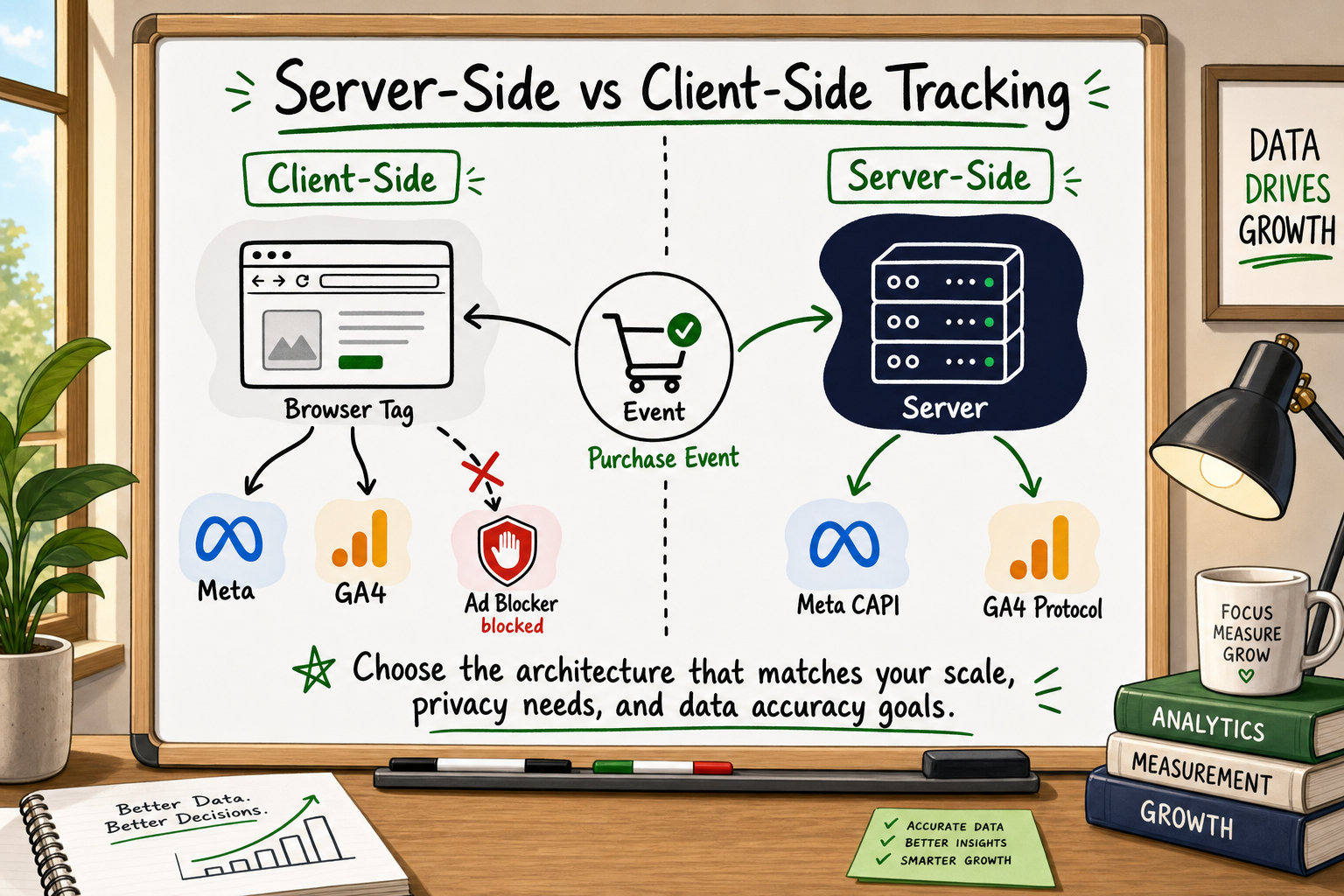
If you are running paid campaigns on Meta, Google, or TikTok and you rely entirely on client-side tracking to measure results, there is a good chance your analytics data is telling you a story that is 40 to 60 per cent incomplete. Server-side tracking vs client-side tracking is not a debate about technical elegance — it is a debate about whether your growth decisions are based on real numbers or educated guesses.
This guide explains both architectures in plain English, maps the real-world consequences of each, and gives you a clear framework for deciding which approach fits your current situation. No developer background required.
Why your analytics data is probably wrong right now
The 40–60% data gap most founders don't know about
Most founders assume that if GA4 is installed and the Facebook Pixel is firing, their data is broadly accurate. In practice, this assumption is rarely safe.
Across client onboarding audits, a consistent pattern emerges: GA4 accounts commonly carry a combination of 12 configuration errors — things like misconfigured conversion events, unfiltered internal traffic, broken cross-domain tracking, and missing eCommerce parameters — that compound to produce data loss of 40 to 60 per cent compared to actual backend transaction records [VERIFY against internal analytics audit template data]. That means a founder interpreting a 3% conversion rate from their dashboard may actually be running at 5 or 6 per cent, or vice versa. Either error leads to bad decisions about budget allocation, channel prioritisation, and product iteration.
The problem has grown sharply since 2021. Three forces have combined to make client-side tracking increasingly unreliable:
- Ad blockers — tools like uBlock Origin, Brave browser, and built-in Safari content blocking actively intercept JavaScript tracking tags before they can fire.
- iOS privacy changes — Apple's App Tracking Transparency framework and Intelligent Tracking Prevention (ITP) in Safari limit the lifespan of cookies and block cross-site tracking by default [Source: Apple developer documentation].
- Cookie consent regulations — GDPR, ePrivacy, and similar frameworks require explicit consent before setting tracking cookies, and a significant portion of users decline.
What actually causes the loss: ad blockers, iOS, and cookie restrictions
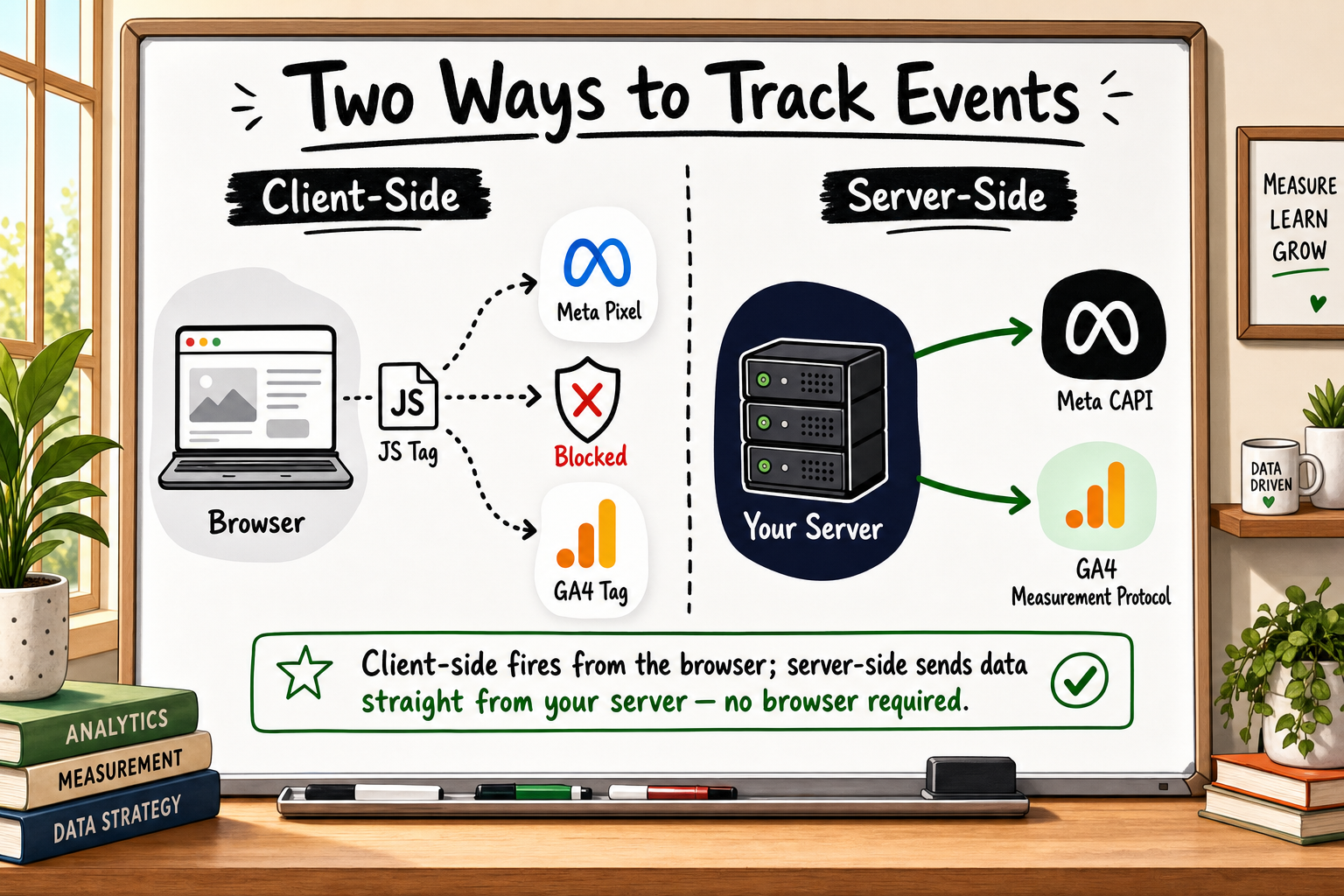
The core issue is architectural. Standard tracking tags — the Facebook Pixel, Google Tag Manager snippets, GA4 JavaScript libraries — all run in the user's browser. They depend on the browser cooperating: loading the script, not blocking it, allowing cookies to be set, and passing data back to the platform's servers. When any of those conditions fail, the event is simply lost. No error message. No notification. Just a missing data point that compounds silently across thousands of sessions.
GlobalStats data suggests ad blockers are used by roughly 30 to 40 per cent of desktop users in some markets [VERIFY: current Statista or GlobalStats ad blocker penetration figure]. In tech-savvy audiences — exactly the people many SaaS and fintech founders are targeting — that figure can be considerably higher.
How client-side tracking works — and where it breaks
The browser as the weak link
Client-side tracking means that measurement logic runs inside the visitor's browser. When someone lands on your site, their browser downloads your page, executes JavaScript, and as part of that execution, fires tracking calls to third-party platforms — Meta, Google, whatever tools you have installed via GTM or direct script tags.
This approach became the industry default because it is easy to deploy. A non-technical marketer can install the Facebook Pixel by dropping a code snippet into a tag manager. No backend work required. That simplicity is also its structural weakness.
What the Facebook Pixel and GA4 tag actually do
The Facebook Pixel is a JavaScript file that Meta hosts and your site loads. When it fires a Purchase event, it packages data — the event name, value, currency, and optionally hashed customer details — and sends it to Meta's servers from the browser. GA4 works the same way: a JavaScript library collects interaction data and sends it to Google's collection endpoint via the browser.
Both systems depend entirely on the browser completing that outbound request successfully. They have no fallback if the browser blocks or drops the call.
Three scenarios where client-side tracking silently fails
Scenario 1: The ad blocker user. A user has uBlock Origin installed. Your Pixel script is on a known blocklist. The browser never loads it. Every event from that session — page view, add to cart, purchase — is completely invisible to Meta. You cannot retarget this user. You cannot count their conversion. Your ROAS calculation is wrong.
Scenario 2: The iOS Safari user. Safari's ITP limits third-party cookies to seven days and, in some cases, to one day for pixels loaded cross-site [Source: WebKit ITP documentation]. A user who clicked your ad on Monday and converted the following Wednesday may not be attributed at all. Meta knows they came from an ad; it cannot connect the conversion.
Scenario 3: The consent rejection. A user in Germany lands on your site, sees your cookie banner, and clicks "Reject all." Your tag manager fires no tags. Legally correct. But now you have zero signal about their behaviour, even for aggregate analytics that don't require individual identification.
Consider the compounding effect. If 30 per cent of your visitors use ad blockers, another 20 per cent are on iOS Safari with ITP active, and another 10 per cent reject cookies, you could be flying blind on more than half your traffic — while your dashboard shows clean, confident numbers that simply don't include those people [VERIFY with a recent industry study on combined tracking loss].
For a founder spending £5,000 per month on Meta ads and optimising campaign creative and audience targeting against this incomplete data, the misallocation risk is significant.
How server-side tracking works — and what it actually solves
Moving the measurement layer off the browser
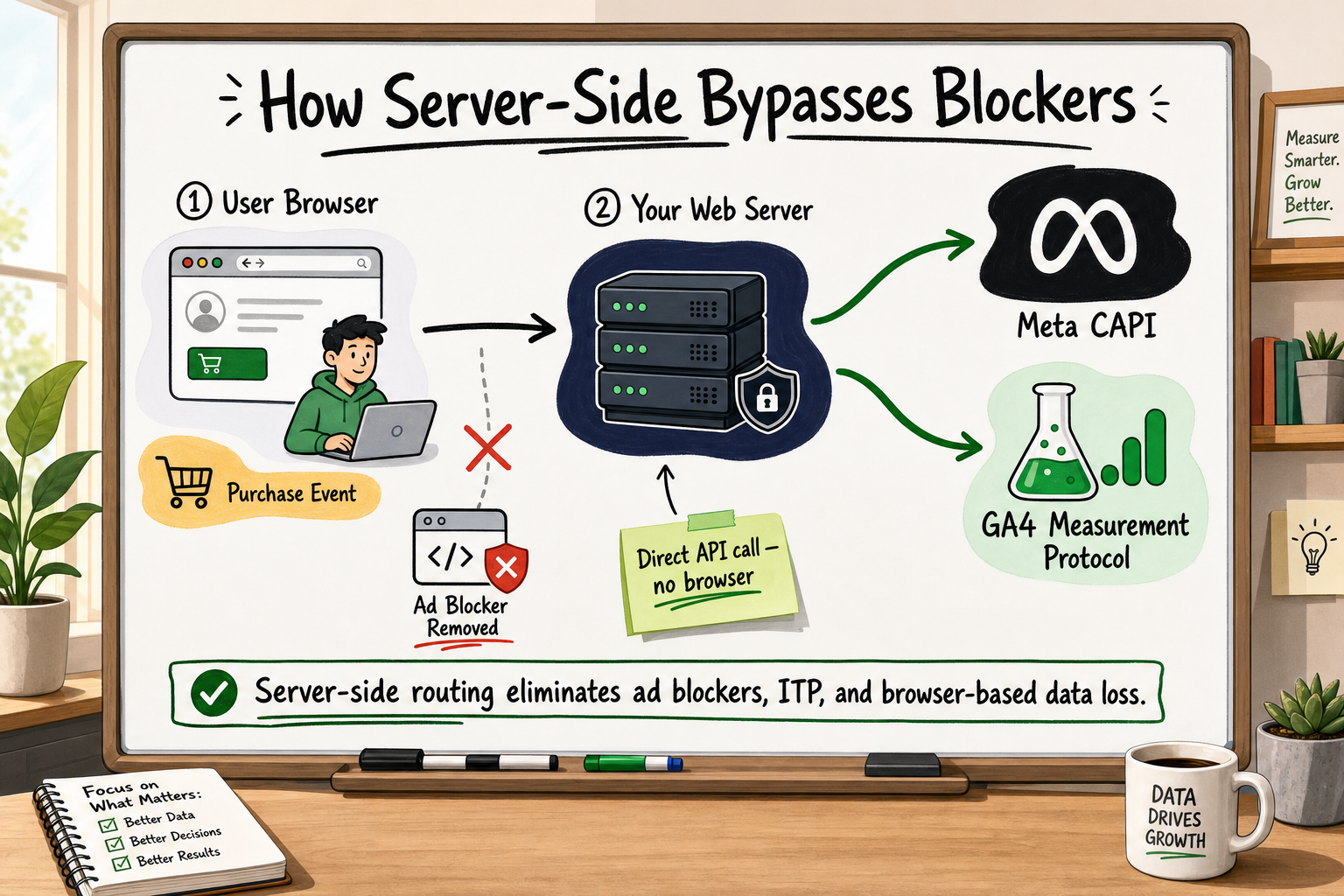
Server-side tracking moves the data collection logic from the visitor's browser to a server you control. Instead of asking the browser to fire a tracking call to Meta, your server listens for conversion events — triggered by your own backend when a purchase completes, a form submits, or a subscription activates — and sends that data directly to the platform's API.
Because the data never passes through the user's browser at the point of transmission, ad blockers cannot intercept it. ITP does not affect it. Cookie consent still governs what data you are legally allowed to send, but the mechanical barrier of browser interference is removed.
Meta Conversions API: what it does in practice
Meta Conversions API (CAPI) is Meta's server-to-server integration for sending event data [Source: https://developers.facebook.com/docs/marketing-api/conversions-api]. Instead of relying on the Pixel firing in the browser, you configure your server (or a middleware like GTM server-side container, Segment, or a custom integration) to send a structured event payload to Meta's /events endpoint.
The payload includes:
- Event name (
Purchase,Lead,CompleteRegistration, etc.) - Event time
- Value and currency
- Hashed customer data (email, phone, name) for matching
- A unique
event_idfor deduplication
The event_id is critical. If you run CAPI alongside the Pixel — which is the recommended hybrid approach — both the browser Pixel and your server will fire for the same event. Without deduplication, Meta counts both as separate conversions, inflating your reported numbers. When both carry the same event_id, Meta discards the duplicate and counts only one [Source: Meta developer documentation on event deduplication].
In a correctly implemented hybrid setup, event match quality (EMQ) typically improves significantly because the server-side call can include richer, consistently formatted customer data that the browser call may strip or miss. This means better attribution, better lookalike audience quality, and more accurate optimisation for your ad campaigns.
GA4 server-side container: when it matters
For Google Analytics 4, the GTM server-side container [Source: https://developers.google.com/analytics/devguides/collection/ga4] operates differently from CAPI. Rather than calling GA4's Measurement Protocol directly from your application server, you stand up a server-side GTM container (typically on Google Cloud Run or a similar service) that acts as a proxy. Your browser-side GTM still fires, but instead of sending data directly to Google, it routes to your own server-side container first.
This approach has several advantages: it extends first-party cookie lifetimes beyond what ITP would allow on third-party cookies, lets you enrich events with server-side data before forwarding, and keeps your data flow within infrastructure you control. It does not fully eliminate the browser as an entry point but significantly reduces interference.
What server-side tracking cannot fix
Server-side tracking is not a silver bullet. It cannot:
- Recover data from users who have genuinely opted out of tracking under GDPR or similar frameworks — nor should it.
- Resolve attribution ambiguity when a user switches devices and you have no logged-in identifier to link their sessions.
- Fix underlying data quality issues like misconfigured events or duplicate purchase triggers at the application layer.
- Make your data useful if your broader measurement strategy (naming conventions, funnel definitions, campaign UTM structure) is poorly designed.
Think of server-side tracking as fixing the plumbing. The data that was being lost in the pipe now reaches the destination. But if the data itself is poorly defined at the source, server-side delivery just gets the wrong data there more reliably.
Side-by-side comparison: which architecture fits your situation
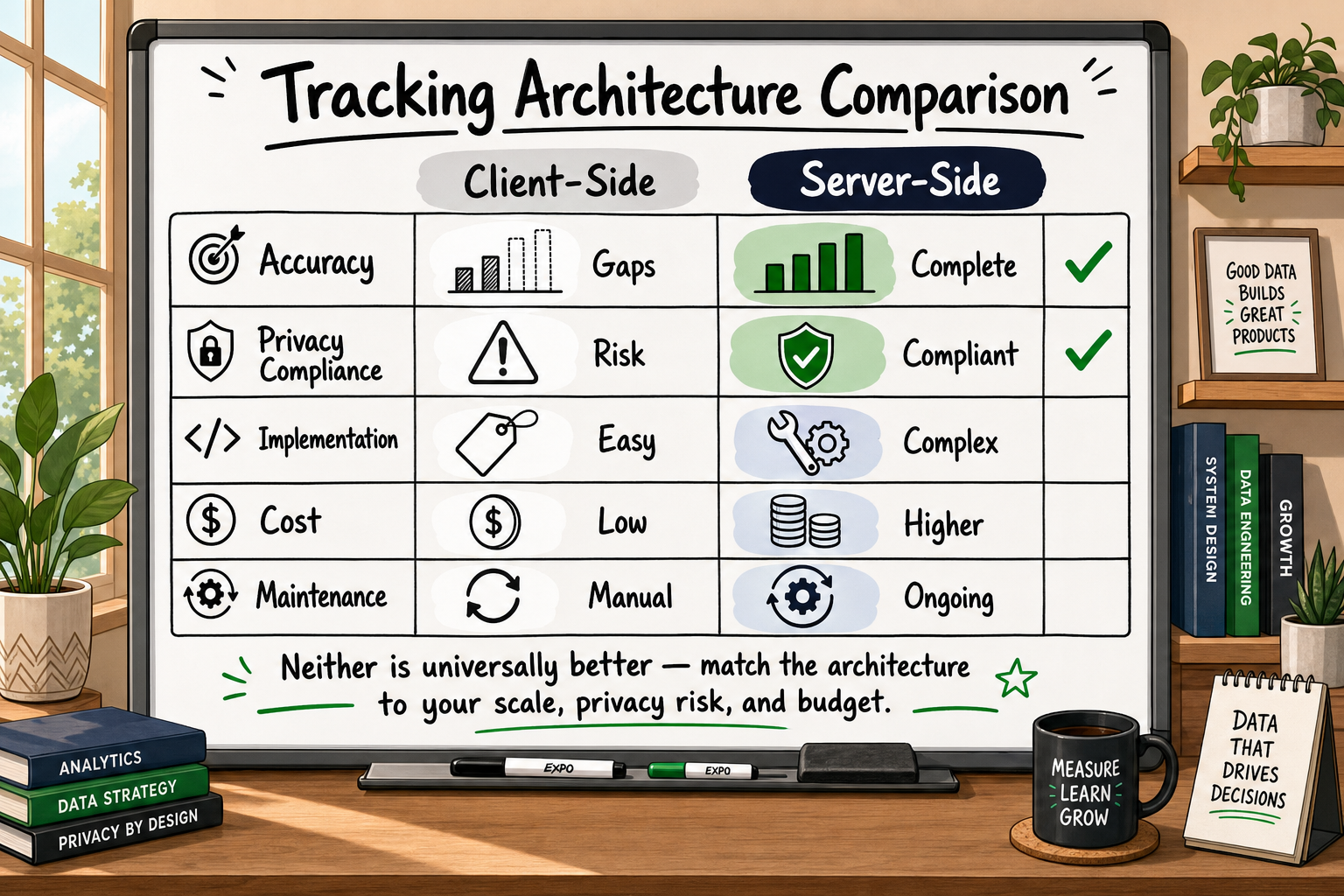
Accuracy and data completeness
| Dimension | Client-side tracking | Server-side tracking | |---|---|---| | Vulnerable to ad blockers | Yes | No | | Affected by iOS ITP | Yes | Significantly reduced | | Blocked by cookie rejection | Yes | Partially (consent still required for personal data) | | Typical data completeness | 40–70% of actual events [VERIFY] | 85–98% of actual events [VERIFY] | | Requires deduplication | No | Yes (if running hybrid) |
Privacy compliance and cookie consent
Server-side tracking does not make you exempt from privacy law. You still need a lawful basis for processing personal data. What it does do is give you more control over which data leaves your infrastructure, when, and to whom. You can strip personal identifiers before forwarding to third parties. You can implement consent-state checks server-side so that no data flows unless consent is confirmed, which is actually easier to enforce reliably at the server layer than in a browser tag.
Implementation complexity and cost
Client-side tracking can be set up by a marketing manager in an afternoon using GTM. Server-side tracking requires engineering work: a server to run the container or integration, backend event triggers, payload formatting, deduplication logic, and ongoing monitoring to catch drift when your product changes. The implementation cost is real. The question is whether it is less than the cost of running paid media on incomplete data.
For most founders spending above £2,000 per month on paid media, the answer is clearly yes. Below that threshold, the priority is lower, though the architecture still matters for GA4 data quality.
Who should start with client-side, who should move to server-side
Stay with client-side (for now) if:
- You are pre-revenue or spending less than £1,000/month on paid media.
- Your audience is predominantly mobile app (different tracking model applies).
- You have not yet validated your core conversion events and funnel definitions.
Move to server-side if:
- You are spending meaningfully on Meta or Google paid media and suspect conversion data is incomplete.
- You serve a privacy-conscious audience (tech, finance, healthcare) with high ad blocker adoption.
- You are building for HIPAA-adjacent or GDPR-heavy markets and need auditable data flows.
- Your Meta Pixel EMQ score is below 6.0 or your GA4 data does not reconcile with backend transaction records.
- You are preparing to raise a round and need defensible, auditable analytics to present to investors.
Frequently asked questions about server-side vs client-side tracking
What is the difference between server-side and client-side tracking? Client-side tracking fires JavaScript tags in the user's browser to send data to analytics and ad platforms. Server-side tracking sends that data from your own server directly to the platform's API, bypassing the browser entirely. The core difference is where the data handoff happens — and how much interference sits between your product and accurate measurement.
Does server-side tracking fix ad blocker data loss? Yes. Because the data transmission happens server-to-server, ad blockers running in the user's browser cannot intercept it. The event has already been recorded server-side before the browser has any involvement in reporting it. However, server-side tracking does not — and should not — override a user's consent preferences.
How much conversion data does the Facebook Pixel typically miss? The exact figure varies by audience, device mix, and geography, but studies and internal audits suggest the Pixel can miss 30 to 60 per cent of conversion events depending on ad blocker penetration and iOS version distribution [VERIFY with Meta's own published guidance or third-party study]. Meta's own documentation recommends CAPI as a supplement for this reason [Source: https://developers.facebook.com/docs/marketing-api/conversions-api].
What is event deduplication and why does it matter? When you run both the Facebook Pixel and Meta CAPI simultaneously — the recommended hybrid setup — both will fire for the same conversion event. Without deduplication, Meta counts both as separate conversions, inflating your reported numbers. Deduplication uses a shared event_id to tell Meta's servers that these two signals represent the same event, so only one conversion is counted.
Is server-side tracking worth it for early-stage startups? If you are spending meaningfully on paid media (£2,000 or more per month is a reasonable threshold), the cost of running campaigns on incomplete data almost certainly exceeds a one-time implementation cost. If you are at an earlier stage and focused on organic growth, client-side with a correctly configured GA4 is a reasonable starting point — provided you audit it properly.
Can I implement server-side tracking without a developer? Partial setups are possible using platforms like Stape or GTM server-side containers with no-code configuration. However, a production-grade implementation — correctly deduplicated, privacy-compliant, monitored for event drift, and reconciled against backend data — requires engineering involvement. The risk of a poorly implemented server-side setup is that it creates false confidence: your numbers look complete but are still wrong.
How Decyb Technology LLP approaches server-side tracking for funded startups
If you have read this far and recognise your own situation — campaigns running on incomplete data, a Pixel you installed and never audited, or a GA4 account that does not reconcile with your payment processor records — you are not alone. This is one of the most consistent problems we see across new client engagements.
What our implementation covers
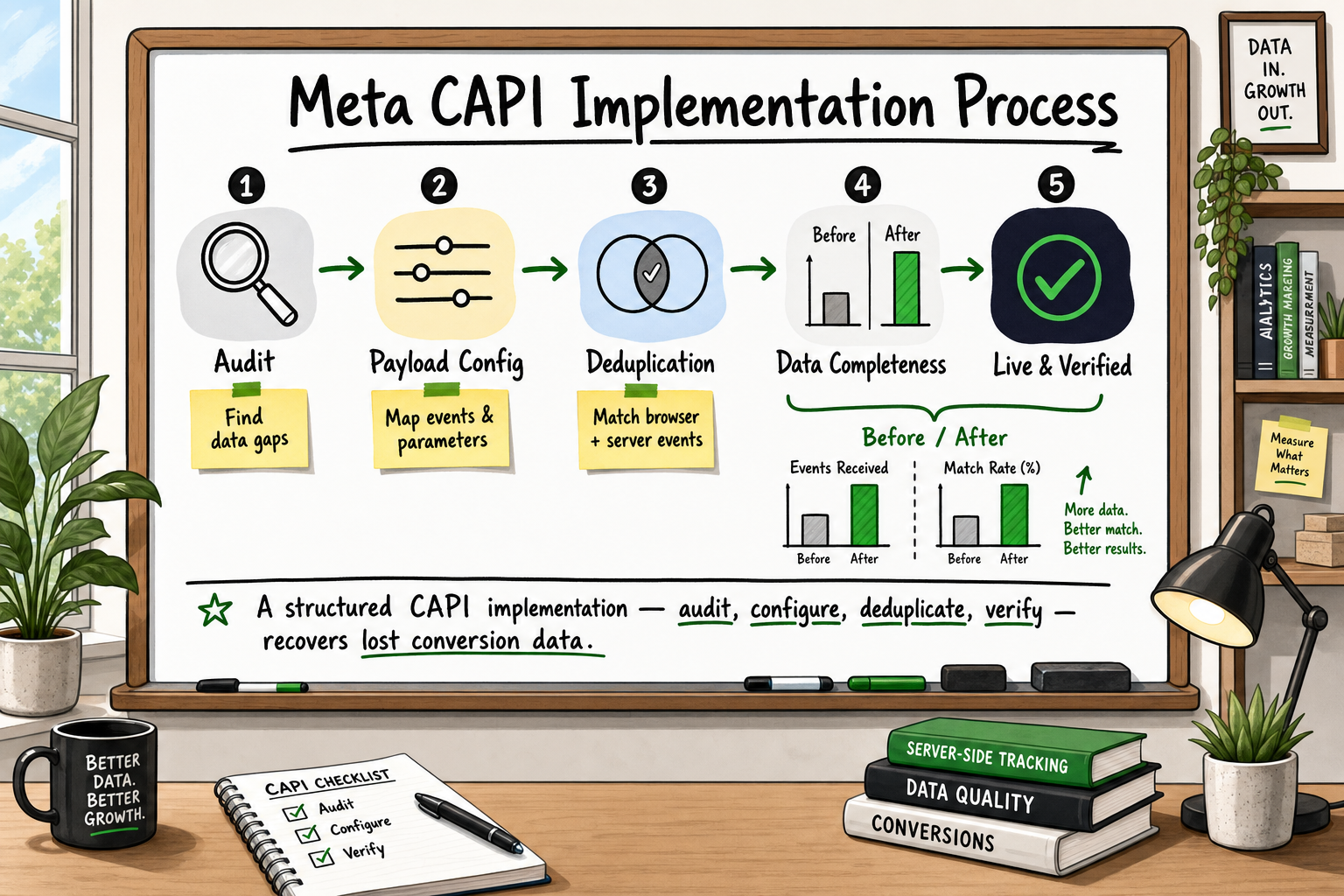
At Decyb, server-side tracking engagements follow a structured sequence rather than jumping straight to implementation. The first step is always an honest audit: we use a 12-point GA4 configuration checklist developed across years of client onboarding to identify exactly where your current setup is losing data and why. That audit produces a clear gap analysis before a single line of implementation work begins.
For Meta campaigns, we implement Conversions API using a hybrid approach — Pixel plus CAPI with full event deduplication using matched event_id values on both signals. This is the setup Meta's own documentation recommends [Source: https://developers.facebook.com/docs/marketing-api/conversions-api], and it consistently produces measurable improvements in event match quality and reported conversion volume compared to Pixel-only setups.
For GA4, we configure GTM server-side containers hosted on infrastructure you own, extend first-party cookie lifetimes, and enrich events with server-side data unavailable to the browser tag. Every implementation is documented — not in a generic sense, but with architecture decision records that explain what we built, why we made each choice, and what the implications are if you migrate platforms or bring the work in-house later.
Jatinder Kumar, who leads every Decyb engagement directly, has 16 years of full-stack and growth systems experience across SaaS, fintech, and eCommerce. When he delivers a tracking implementation, you are speaking with the person who actually built it — not an account manager summarising a team you have never met.
What clients say
One recent engagement involved a full end-to-end Meta Conversions API implementation delivered ahead of schedule, with complete event deduplication and server-side optimisation. The client's review: ★ 5.0. Another client — Jatinder's longest-running engagement at 10-plus years across multiple technical capacities — has given a consistent ★ 5.0 rating that reflects what ongoing technical partnership looks like in practice, not just a one-off project delivery.
Decyb has maintained a consistent ★ 5.0 delivery record across 12-plus years of international client engagements from 2014 to 2025. That record is verifiable on the platforms where the work was contracted. We are happy to share specific case study details on a strategy call.
Your next step
If you want to understand specifically where your current tracking setup is losing data before committing to anything, the most useful starting point is a conversation — not a sales call, but a genuine technical review of your current setup.
Decyb offers a free 24-hour custom technology strategy call with a senior partner. Bring your GA4 account, your Meta Events Manager, and your current paid media spend. We will tell you exactly what is broken, what it is likely costing you, and what a correct implementation looks like for your specific situation.
Download the analytics audit checklist to see the 12 most common GA4 errors before your call — or book your free strategy call directly and get a personalised data gap analysis within 24 hours.
All project timelines and delivery estimates are indicative and subject to scope confirmation. Third-party service costs (hosting, domains, SaaS tools) are billed separately at cost. Decyb Technology LLP is registered in India; engagements are subject to terms of service available at decyb.com/terms.