
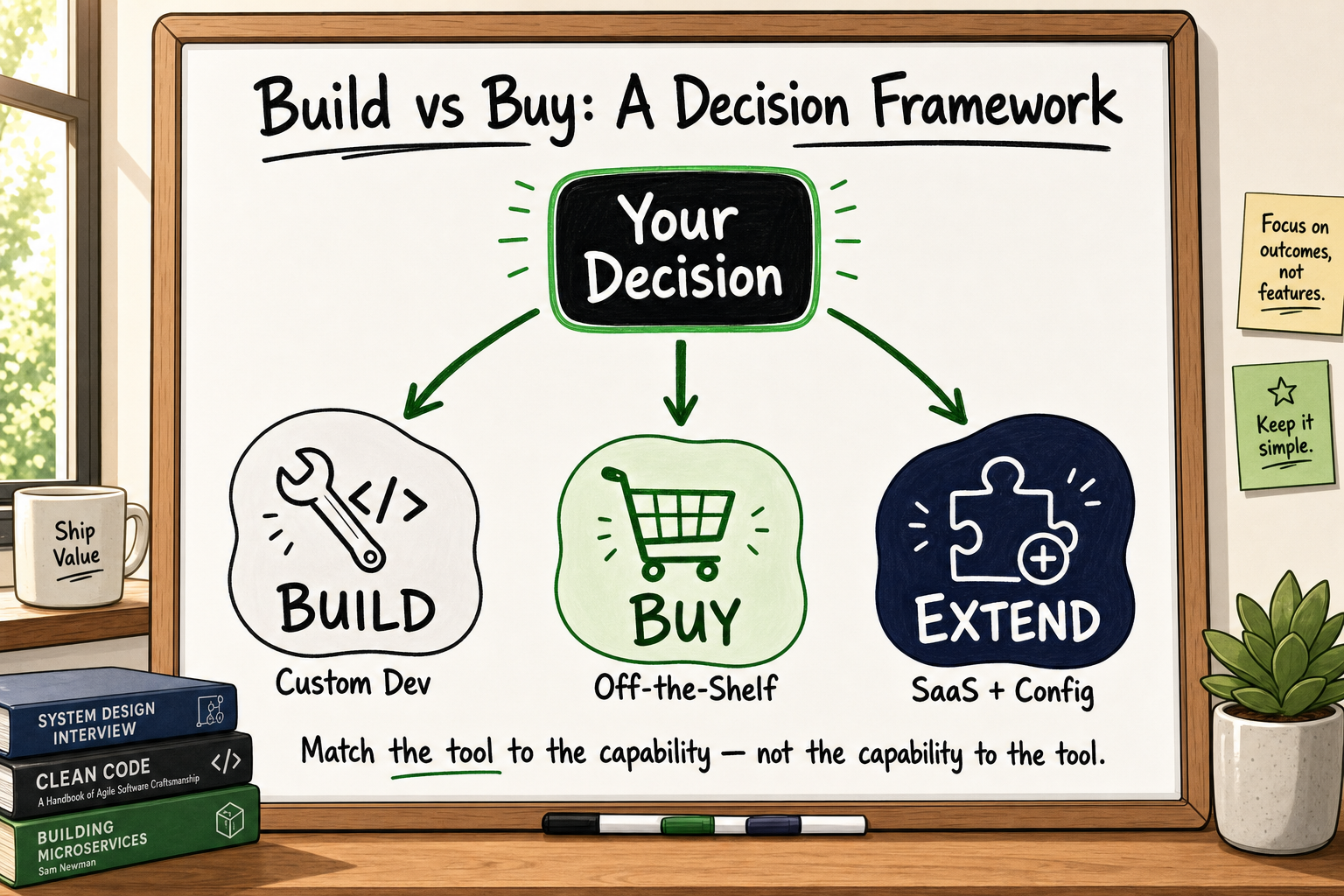
The build vs buy software decision framework is one of the most consequential choices a founder makes — and one of the most poorly understood. Get it right and you ship a focused product that compounds in value. Get it wrong and you're either trapped in SaaS workarounds that kneecap your roadmap, or you've burned six months of runway building something a £200/month tool already does.
This guide gives you a structured, stage-appropriate framework for evaluating all three options: building custom software, buying off-the-shelf SaaS, or extending an existing platform with a lightweight custom layer. By the end, you'll have a five-factor decision matrix you can run in a single meeting.
Why the Build vs Buy Question Is Harder Than It Looks
The three options founders actually have
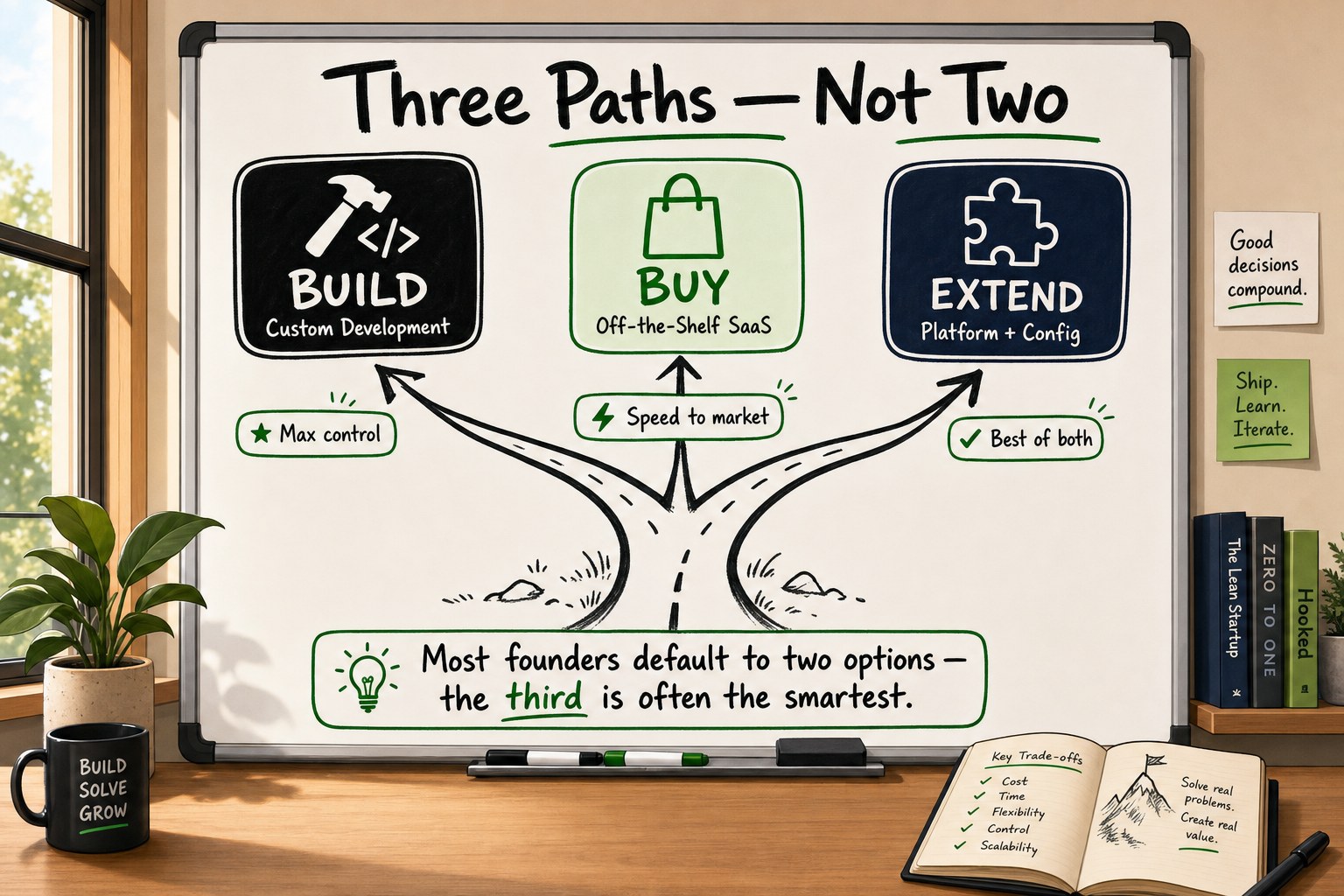
Most articles frame this as a binary — build or buy. In practice, the most useful option is often the third one: extend. This means taking a SaaS platform you already use (or a cheap one) and wrapping a thin custom layer around it — a webhook-driven automation, a branded front end, a custom API integration — to close the gap between what the tool does natively and what your product actually needs.
So the real decision tree looks like this:
- Buy — use a SaaS tool as-is, accepting its constraints and feature roadmap
- Extend — use a SaaS tool as the core, add custom code or automation to close specific gaps
- Build — design and engineer the capability from scratch on your own architecture
Why the wrong choice compounds over time
After sixteen years of architecture conversations, one pattern repeats: founders who chose incorrectly didn't make a careless decision — they made a hasty one. They evaluated the immediate cost rather than the 24-month cost. They assessed what the tool does today rather than whether it can do what they'll need in eighteen months.
A wrong build decision means you're maintaining code that a SaaS tool would maintain for you — at a fraction of the cost. A wrong buy decision means your engineering team spends 20% of every sprint working around the tool's limitations rather than building your actual product. Neither is fatal at the start. Both become expensive fast.
Step 1 — Identify Whether the Capability Is Differentiating
Differentiating vs commodity capabilities
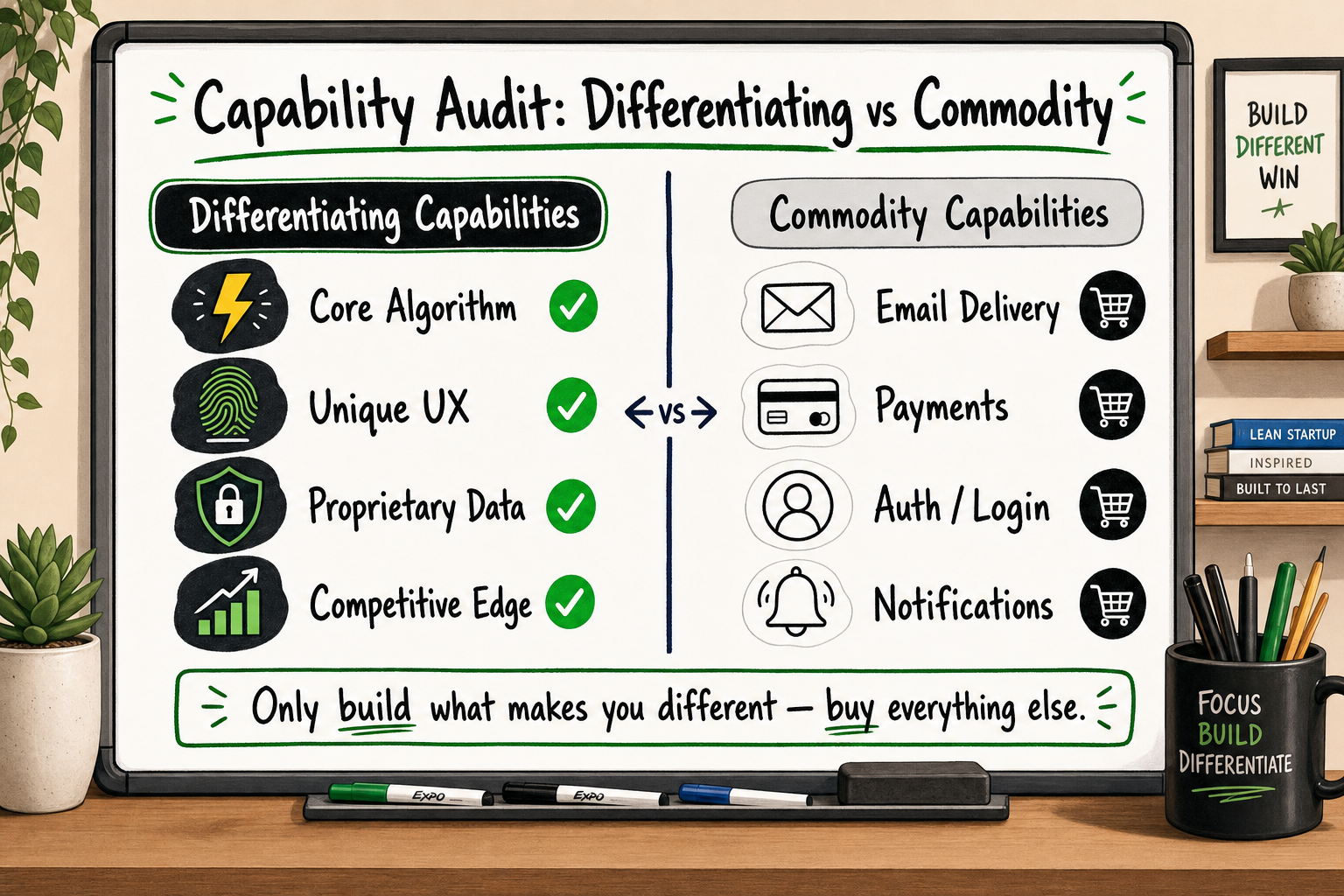
The single most useful filter in this entire framework is this: does this capability directly create value that your competitors cannot replicate by subscribing to the same tools?
If the answer is yes, it's a differentiating capability. It likely warrants a build — or at minimum a tightly controlled extend.
If the answer is no, it's commodity infrastructure. Buy it. Don't build it.
Examples of commodity capabilities that almost never justify a full build:
- Email delivery
- Payment processing
- Calendar scheduling
- Document e-signature
- Basic CRM contact management
Examples of potentially differentiating capabilities that may justify a build:
- A proprietary matching algorithm between buyers and sellers
- A real-time inventory sync across thousands of SKUs and multiple suppliers
- A multi-tenant permission model with complex role hierarchies
- A domain-specific reporting engine your users cannot get elsewhere
How to run a rapid differentiation audit
For each capability on your roadmap, ask three questions:
- Can a competitor replicate this value by paying for the same SaaS tool? If yes — buy.
- Does the capability touch data or workflows that define your product experience? If yes — at minimum extend, possibly build.
- Will the capability need to evolve in ways a SaaS vendor's roadmap may not support? If yes — build.
When we scoped FieldFolio — a B2B wholesale marketplace for 40,000+ retailers across Australia and New Zealand — this filter was the first thing we applied. The retailer onboarding flow, supplier catalogue sync logic, and order routing were all differentiating: no off-the-shelf marketplace tool handled the AU/NZ wholesale compliance requirements or the supplier-retailer data model correctly. Those we built. Email notifications, payment processing, and document storage? We plugged in Postmark, Stripe, and AWS S3. That division — build the diff, buy the commodity — cut scope by roughly 35% [VERIFY] without reducing the product's competitive depth.
Step 2 — Calculate the Real Total Cost of Ownership
What SaaS vendors don't put in their pricing pages
The list price of a SaaS tool is almost always the smallest part of its real cost. Here's what the pricing page doesn't show you:
- Per-seat escalation — most SaaS tools charge per user. At 5 people, £79/month feels negligible. At 40 people, it's £632/month on a single tool, and you're probably running eight tools.
- Integration costs — connecting two SaaS tools that weren't designed to talk to each other requires middleware (Zapier, Make, custom webhooks) that adds latency, costs money, and breaks without warning.
- Capability workarounds — when the tool can't quite do what you need, someone on your team finds a workaround. That workaround has an engineering cost, a maintenance cost, and a reliability cost.
- Data portability risk — your data lives in their schema. If you ever need to migrate, the extraction and transformation cost can dwarf what you've paid in subscriptions.
Building a like-for-like cost model
A practical exercise: take your current SaaS stack (or the stack you're evaluating) and build a 24-month cost model with three columns:
| Cost category | Month 1 estimate | Month 24 estimate | |---|---|---| | Subscription fees | £X | £X × growth factor | | Integration/middleware | £X | £X | | Engineering workaround hours × rate | £X | £X | | Migration risk reserve | — | £X | | Total | | |
Then put a comparable custom build cost in a fourth column. The crossover point — where cumulative SaaS TCO exceeds the custom build cost — is the number that should drive the decision, not the monthly subscription line.
The integration tax
One pattern worth naming explicitly: the integration tax. Every additional SaaS tool in your stack multiplies the number of integration points you need to maintain. Two tools = one integration. Five tools = ten potential integration surfaces [VERIFY]. When those integrations break — and they do break, usually at the worst moment — someone on your team pays the debugging tax.
A 30-person company paying £2,400/month in SaaS subscriptions but also spending 20 engineering hours per month on integration maintenance and workarounds is actually paying closer to £4,800/month in real terms, assuming a conservative £120/hour engineering cost. That gap matters when you're modelling whether a custom build makes financial sense.
Step 3 — Stress-Test Your SaaS Options Before Dismissing Them
The five questions to ask before rejecting a SaaS tool
This section exists because the temptation to build is real — and it should be resisted until you've genuinely exhausted the alternatives. Before commissioning a custom build, run through these questions:
- Have you used the tool's API documentation, not just its UI? Most SaaS tools are significantly more capable via API than their standard interface suggests.
- Have you spoken to the vendor's solutions team about your specific use case? Enterprise tiers and custom configurations exist that aren't advertised on the pricing page.
- Could a middleware layer (Zapier, Make, n8n) close 80% of the gap? If so, is the remaining 20% actually worth a full build?
- Is there a niche SaaS tool that solves this specific problem better than the general-purpose tool you're evaluating? Horizontal platforms often lose to vertical SaaS on depth.
- What does your roadmap look like in 18 months — will the same tool still serve you? If yes, buy. If no, buy now and plan the build for later.
When extending a SaaS platform is the right call
The extend path is right when:
- A SaaS tool covers 70–80% of your need natively
- The remaining gap is addressable via API, webhook, or a lightweight custom front end
- Your team's engineering capacity is better deployed on differentiating features
- You're pre-revenue or pre-Series A and preserving runway matters more than owning the full stack
Signs you've already outgrown your current stack
Conversely, here are signals that you've stayed in SaaS too long:
- Engineers spend more time maintaining integrations than building product
- You've hit hard limits on data volume, API rate limits, or custom field caps
- Your product roadmap is being blocked by what the SaaS vendor chooses to build (or not build)
- Competitors are shipping capabilities your SaaS vendor doesn't support and never will
- You're paying for seats you don't use because the pricing tier structure doesn't match your actual usage
One example worth sharing: an eCommerce operator scaling beyond Shopify's native capabilities nearly commissioned a custom order management system quoted at approximately £60,000. Before committing, a structured SaaS audit identified a combination of three Shopify apps that covered 90% of the required functionality for around £400/month. The remaining 10% was a custom-built Shopify webhook integration that took three weeks. Total cost saved: roughly 18 months of runway. The right answer wasn't build — it was extend, intelligently.
Step 4 — Apply the Decision Matrix
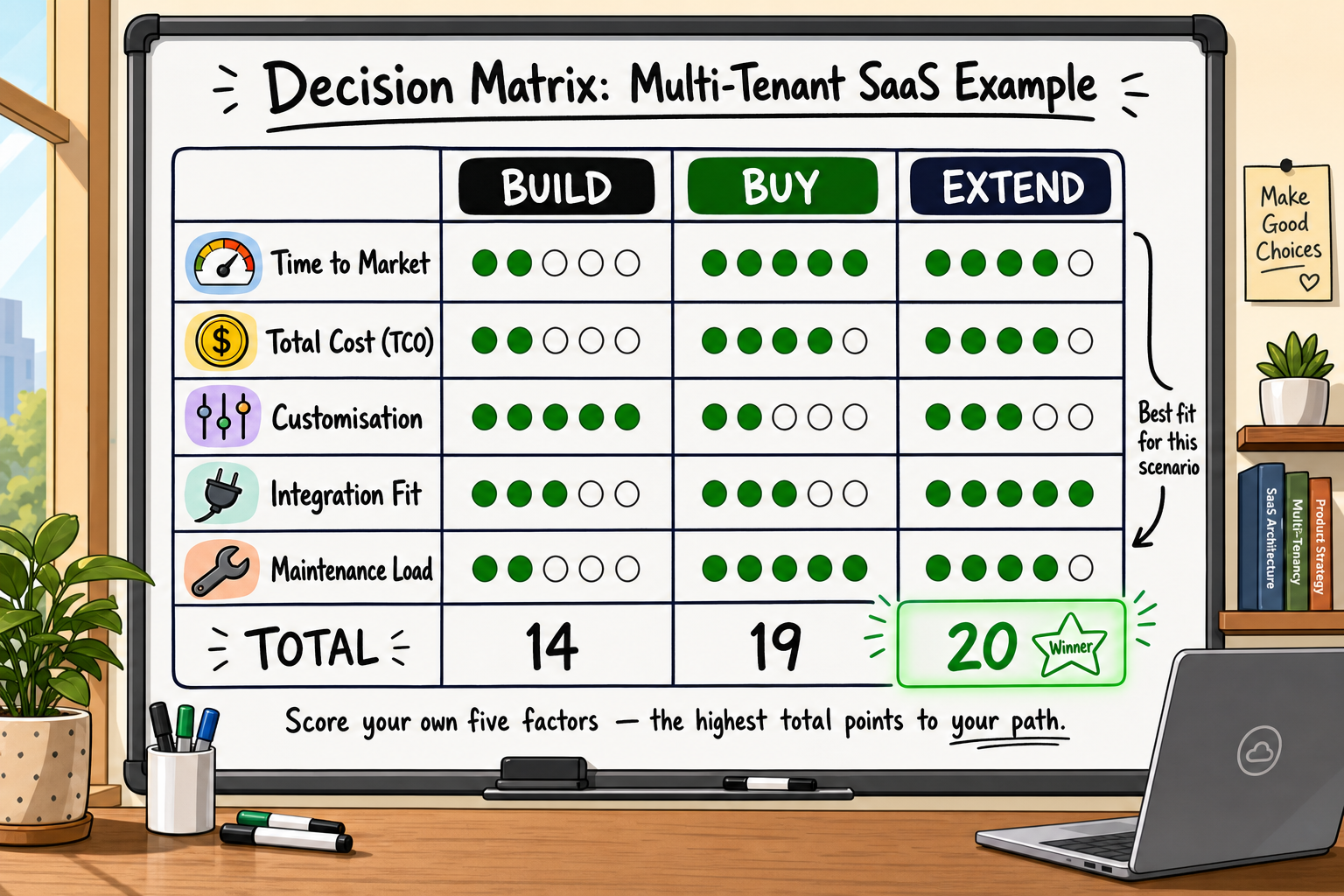
The five factors in the matrix
Score each factor from 1 (strongly favours Buy) to 5 (strongly favours Build). The Extend option typically scores in the 2–4 range — use it as your default when Build and Buy are close.
| Factor | 1 (Buy) | 3 (Extend) | 5 (Build) | |---|---|---|---| | Differentiation | Commodity feature | Partially differentiating | Core competitive advantage | | Data ownership | Public/generic data | Semi-proprietary data | Highly proprietary data model | | Scalability requirements | Low / standard | Moderate, predictable | High volume, custom constraints | | 24-month TCO | SaaS cheaper at projected scale | Roughly equal | Custom cheaper within 18–24 months | | Strategic control | Vendor roadmap acceptable | Partial control needed | Full control essential |
How to score and interpret your results
- Total score 5–12: Buy. A good SaaS tool exists, use it.
- Total score 13–18: Extend. Buy the best available tool and invest in a custom integration or automation layer.
- Total score 19–25: Build. Custom software is the defensible choice — but scope tightly and build for the current stage, not the hypothetical future.
Common scoring mistakes to avoid
- Overweighting differentiation without testing demand first — build only what users have already paid for or clearly asked for
- Underestimating 24-month TCO — use actuals and growth projections, not current numbers
- Treating extend as a permanent solution — plan the migration path before you need it
The Extend Option: When It Beats Both Extremes
What 'extend' actually means in practice
Extend means you use an existing SaaS platform as the operational backbone and add a targeted custom layer to close specific gaps. That custom layer might be:
- A GoHighLevel pipeline with custom webhook triggers feeding a bespoke reporting dashboard
- A Shopify store with a fully custom-built supplier sync and inventory allocation engine sitting behind it
- A Twilio-powered messaging layer bolted onto an existing CRM via Zapier
- A custom React front end consuming a SaaS back end via API, giving users a branded, workflow-specific UI without rebuilding the underlying logic
Extend-first, build-later: a sequencing strategy
For most seed-stage and early Series A founders, the optimal sequencing is:
- Validate with SaaS — prove demand with off-the-shelf tools, even if the UX is rough
- Extend to remove friction — once you know what users actually need, fill the gaps with targeted custom work
- Build what's blocking scale — when the extend layer becomes its own maintenance burden, or a capability gap is directly limiting revenue, invest in a full custom build
This sequencing keeps your runway intact during the highest-uncertainty phase and ensures that when you do invest in a build, you're building something you already know your users need — not something you predicted they'd need.
When extension becomes a trap
Extension becomes a trap when the custom layer grows to the point where it's more complex than a clean-build equivalent would have been. Signs this is happening:
- Your 'lightweight' webhook layer now has 40+ Zaps and someone needs to maintain them all
- Data is living in three different SaaS tools that aren't fully in sync
- New team members need weeks to understand how the stack fits together
- Debugging a customer issue requires logging into four different platforms
When you hit two or more of these, the build case has probably become financially and operationally justified.
Frequently Asked Questions
Is it always cheaper to use SaaS than to build custom software?
Not over a full 24-month horizon. SaaS appears cheaper at small scale because the upfront cost is zero and the monthly fee feels manageable. But per-seat pricing escalates with headcount, integration workarounds carry a hidden engineering cost, and data portability risk grows over time. For capabilities that are central to your product, the crossover point — where cumulative SaaS TCO exceeds a well-scoped custom build — often arrives sooner than founders expect.
How do I know if my product idea is truly differentiated?
Ask one question: could a competitor replicate your core value proposition by subscribing to the same SaaS tools you use? If yes, the capability is commodity — buy it. If no — if the value is genuinely embedded in a proprietary process, data model, or user experience — it likely warrants a build. Differentiation is always relative to your specific competitive context, not an absolute property of the feature.
Can a no-code tool replace custom development for an MVP?
Often yes, at the validation stage. No-code tools can get a functional prototype to early users faster and cheaper than a custom build in most cases. The ceiling arrives when you hit performance limits, multi-tenancy requirements, complex custom data models, or enterprise security standards that no-code platforms don't support. The right question is usually not 'no-code or custom?' but 'no-code now, custom when?' — and planning that transition early avoids a painful migration later.
What is the biggest mistake founders make in the build vs buy decision?
Two equally common ones. Building too early — before demand is validated — means engineering resources go into a product nobody's yet proved they'll pay for. Building too late — after years of SaaS workarounds have accumulated into an unmaintainable integration stack — means the migration cost is enormous and the technical debt is already compounding. The framework in this article is designed to identify which of these failure modes you're closest to.
How long does it typically take to build a custom web application?
A well-scoped MVP with a senior development team typically takes 10 to 16 weeks from brief to production. Timelines stretch when the scope isn't locked before development starts, when requirements change mid-sprint without a formal change control process, or when the team is under-resourced relative to the complexity of the brief. Longer is not always better — a tight scope delivered in 12 weeks beats a bloated scope delivered in 32 weeks at nearly every stage.
How Decyb Technology LLP Approaches the Build vs Buy Decision
Every engagement at Decyb begins with the same question: what is the minimum that needs to be custom to make this product genuinely competitive? That discipline — scoping the build down to what's truly differentiating — is what separates a product that compounds in value from one that accumulates technical debt and maintenance overhead.
Our architecture decision process
Before writing a line of code, we run every client through a structured discovery that maps directly to the framework above. We audit the existing SaaS stack for hidden TCO, score each required capability against the differentiation matrix, and produce an architecture decision document — the kind of document that stands up to scrutiny from investors, future engineering hires, or a technical due diligence process.
When FieldFolio needed a B2B wholesale marketplace to serve 40,000+ retailers across Australia and New Zealand, the answer was a hybrid: custom-built supplier catalogue sync and retailer onboarding on a React and Node.js architecture, with commodity functions like email and payments handled by proven SaaS tools. The result was a production-grade platform shipped on schedule with a clean, documented codebase that the client's future team could pick up without a knowledge transfer crisis.
When a client needed to replace a £45,000 custom CRM build estimate, the answer was GoHighLevel, Zapier, and a targeted custom webhook layer — delivering 80% of the functionality in weeks at a fraction of the cost. That's the extend path done correctly.
What the free strategy call actually covers
Decyb's free 24-hour technology strategy call is structured around exactly this framework. You bring your current stack, your roadmap, and the capability gaps that are blocking progress. Jatinder works through the differentiation audit, TCO model, and decision matrix with you in real time — and you leave with a written recommendation: build, buy, extend, or a sequenced combination of all three.
This is not a sales call dressed up as a consultation. If the honest answer is that a SaaS tool covers your need for the next 18 months, that's what we'll tell you. The goal is a defensible decision, not a signed contract.
Who Decyb is the right fit for
Decyb works best with founders and product leads who already know they need a technical opinion they can trust — and who are tired of getting that opinion from people with an incentive to recommend a build regardless of whether it's the right answer.
If you're a non-technical SaaS founder weighing whether your MVP justifies custom development, a fintech product lead who has outgrown a freelance setup, or an eCommerce operator whose analytics and automation stack is held together with Zapier duct tape — the strategy call is the right next step. You'll walk away with a clear view of where custom software creates a return on investment and where it doesn't.
With a consistent ★ 5.0 delivery record across 12+ years and international clients from seed stage through to enterprise, the work speaks clearly. [INTERNAL LINK: Read case studies and client reviews /portfolio]
Ready to make a defensible technology decision? Book your free 24-hour strategy call — get a personalised build vs buy recommendation with no obligation.
[Book your free strategy call → /contact]
All project timelines and delivery estimates are indicative and subject to scope confirmation. Third-party service costs (hosting, domains, SaaS tools) are billed separately at cost. Decyb Technology LLP is registered in India; engagements are subject to terms of service available at decyb.com/terms.